Feature
Remove sensitive information from screenshots permanently
Permanent screenshot redaction means the sensitive pixels are overwritten in the exported image, not hidden behind a removable layer.
Step 01
What permanent redaction means
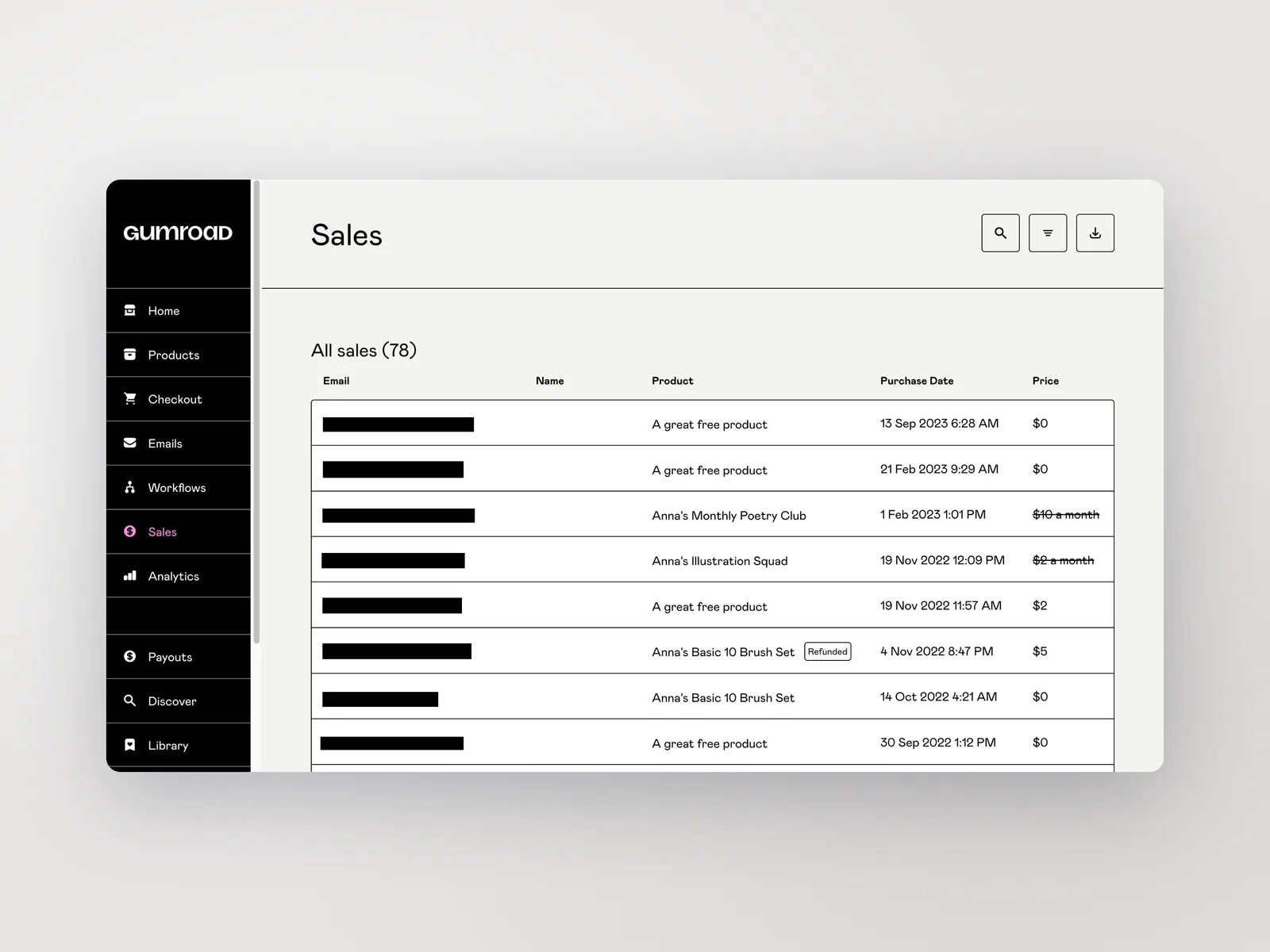
Permanent redaction means the sensitive pixels are overwritten in the exported image, not hidden behind a shape someone can move or delete. Captorify composites the redaction into the output, so once exported the covered content is gone from the file.
- Redactions are baked into the exported pixels, not layered on top.
- The downloaded file carries no removable cover to peel back.
- Permanent redaction is a Pro feature.
Step 02
Redaction workflow
Open a capture in the editor and draw over each sensitive area: names, account numbers, email addresses, tokens, and internal URLs. Captorify also offers suggested redactions that auto-detect common patterns for you to review before applying.
- Draw blackout redactions over each sensitive area.
- Review auto-suggested Identifiable Information (PII) areas before applying them.
- Export a flattened PNG, JPG, or PDF.
Step 03
Before and after proof
A redacted export looks the same as the original except the sensitive values are solid blocks instead of readable text. Because the pixels are overwritten, zooming in or opening the file in another tool reveals nothing underneath.
Step 04
Blur, pixelation, and redaction
Captorify offers blackout, blur, and pixelate, and bakes all three permanently into the export. The difference is in how much they truly hide.
- Blackout: overwrites pixels, the safe choice for real secrets.
- Blur and pixelate: baked in, but not guaranteed irreversible.
Step 05
Sensitive data examples
Suggested redactions look for common sensitive patterns so you do not have to spot every one by hand. Detected patterns include email addresses, URLs, IP addresses, phone numbers, credit card numbers, and API keys such as Stripe, GitHub, and AWS tokens.
- Emails, URLs, IP addresses, and phone numbers.
- Credit card numbers and high-entropy API keys.
- Always reviewed before they are applied.
Step 06
Limits
Redaction protects what you cover. Suggested detection finds common patterns but will not catch every sensitive value, so review the suggestions and add manual redactions where the detector cannot help.
Step 07
Use cases
Redaction fits anywhere a screenshot leaves your team. Support agents redact customer data before attaching a capture to a reply, and security reviewers remove credentials and internal URLs before sharing evidence.
FAQ
Common questions.
Short answers about capture, privacy, sharing, and billing.