Feature
Share screenshots without giving up control
Controlled screenshot sharing helps teams avoid permanent attachments when sensitive context is involved. Captorify explains recipient access, password and expiry controls, revocation, cloud storage boundaries, and when a simple attachment is still enough.
Step 01
What controlled sharing means
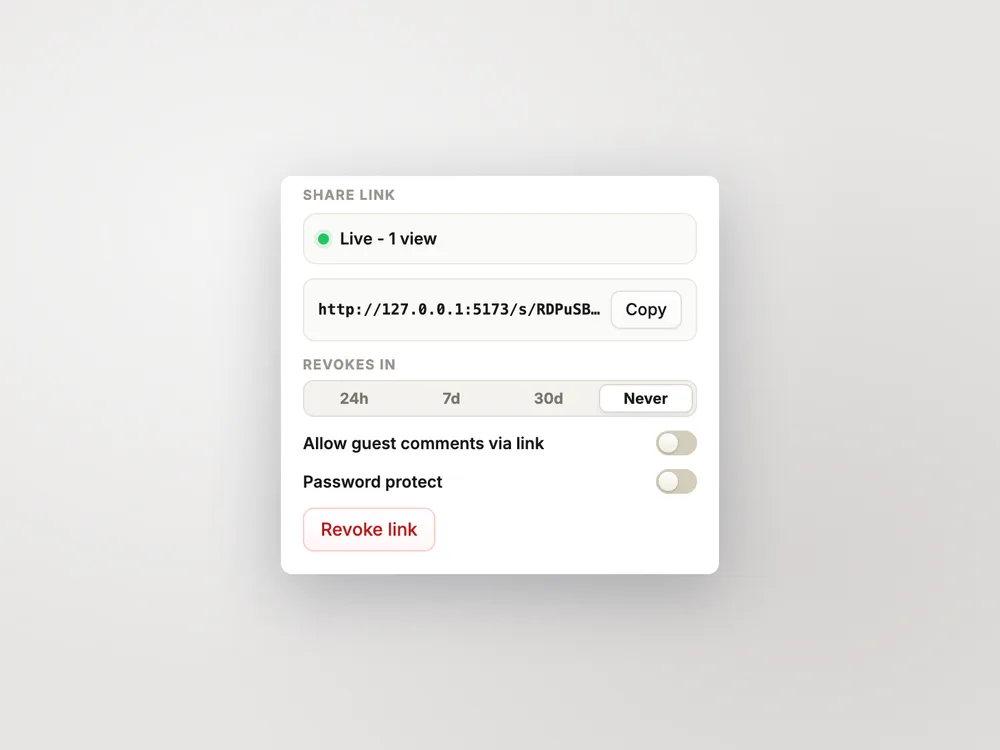
Controlled sharing means you send a link instead of a permanent attachment, and you keep control of who can open it and for how long. Captorify share links can carry an optional password, an optional expiry date, and can be revoked at any time.
- Optional password protection on each link.
- Optional expiry, up to one year, with auto-revoke when it passes.
- Revoke access at any time, plus view-count tracking.
Step 02
Recipient experience
The recipient opens a clean link to view the screenshot in their browser. If you set a password, they enter it first; if the link has expired or been revoked, it no longer opens.
Step 03
Privacy boundary
Shared captures are stored in Captorify cloud storage and encrypted at rest with AES-256, with share metadata kept separately. This is encryption at rest where Captorify holds the keys.
- Cloud captures are AES-256 encrypted at rest.
- Free captures stay on your device and are not uploaded.
Step 04
Share versus attachment
A plain attachment is simple and fine when the content is not sensitive: the file just goes with the message. A controlled link is the better choice when you want a password, an expiry, the ability to revoke, or to know when it was viewed.
- Attachment: quick, permanent, no access controls.
- Share link: password, expiry, revoke, and view tracking.
Step 05
Limits
Share controls govern access to the link, not what a recipient does once they can see the image. Anyone who can open the link can still screenshot or save what they see.
Step 06
Team use
Teams use controlled links to send captures to customers, vendors, and stakeholders without leaving permanent attachments scattered across inboxes. Passwords and expiry keep external sharing tidy.
FAQ
Common questions.
Short answers about capture, privacy, sharing, and billing.